Welcome to the Automated Lead Booking System
This system was designed by Josh Pather alongside an award-winning marketing expert. It has been carefully built, tested, and optimized to produce consistent results. To ensure performance and effectiveness, no part of the system can be modified or altered.
Once you complete this form, our team will begin setting up your system. Your full setup will be completed within 5 business days.
Daily Support & Coaching Calls
You’ll have access to our live daily support calls at:
12:00 PM CST
5:00 PM CST
To access the call links:
Log into your CRM
Navigate to the bottom-left corner of the menu
Click on the support call links provided
These calls are designed to help you implement, optimize, and get results faster.
Domain Purchase (Required for Setup)
As part of your onboarding, we will purchase a domain for your funnel. This domain will be used exclusively for your Google Ads funnel to ensure proper tracking, speed, and system integration.
Domain cost: Approximately $20
This step is mandatory to ensure the system functions correctly.
The domain must be purchased inside our system to streamline and expedite setup.
If you prefer to use an external domain, there will be a $50 integration fee, as this requires a live Zoom session and additional setup time. This option is not recommended, as it slows down the process and adds unnecessary complexity.
Our goal is to get you launched quickly and efficiently.
Once your form is submitted, our team will take care of the rest and notify you as soon as your system is ready.
Let’s get you booked. 🚀
We will set up your ads 10 miles around this address.
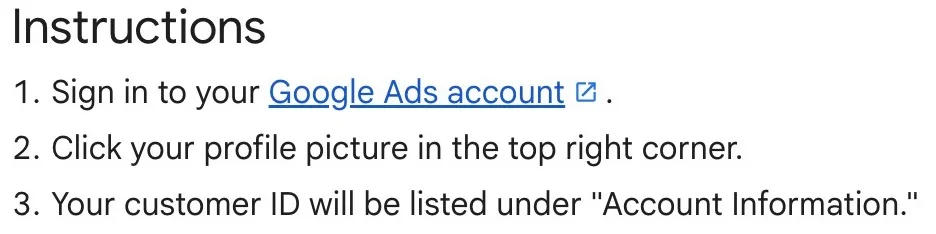
CREATE AND GIVE US ACCES TO YOUR GOOGLE ADS ACCOUNT.
Step 1: Log into your Google Ads account at ads.google.com
Step 2: Click the Settings icon (gear icon) in the top menu
Step 3: Go to Security
Step 4: Add leadfuelcrm.com as an allowed domain and click Save
Step 5: Go to Access and Users
Step 6: Click the + button to add a new user
Step 7: Enter [email protected] and set access level to Admin
Step 8: Click Send Invitation